Dynamic NPC Behaviour System
A modular Unity system, built for the game Fate of Eclipse, that connects AI-generated dialogue with world context, navigation, and animation-driven character behaviour.
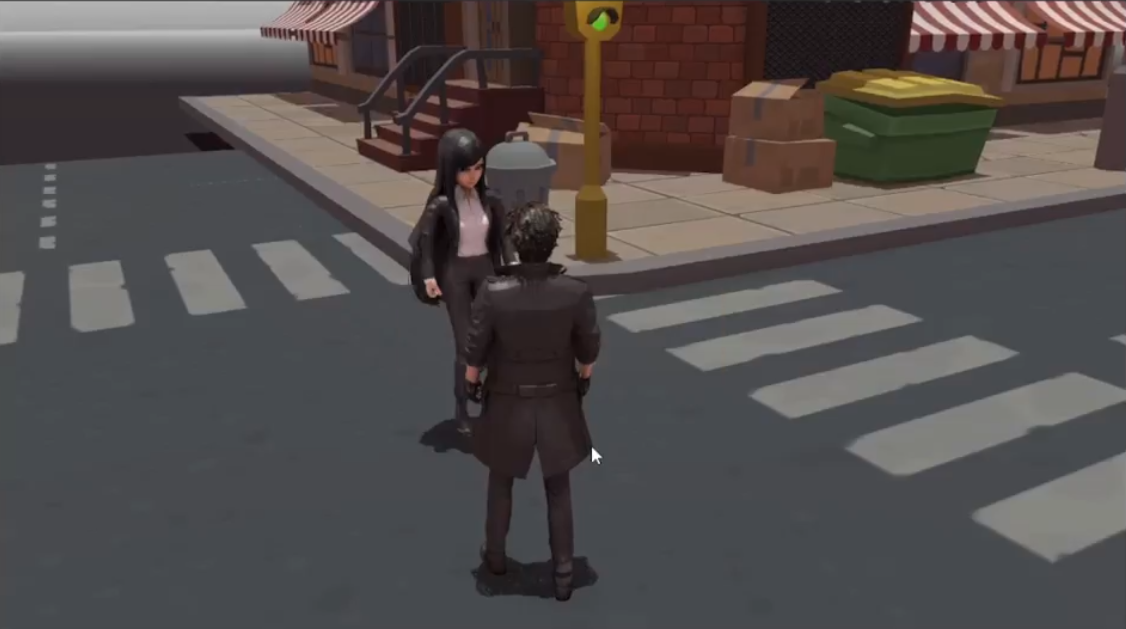
The system in play — conversation, interaction, and inventory.
The Spark
Fate of Eclipse was our diploma final year project, and we wanted its characters to feel less scripted than fixed dialogue trees. The idea was to let players talk to NPCs in an open-ended way, while keeping those conversations tied to the game's world, time, and physical interactions. I built the gameplay systems that make dialogue something more than text on a screen.
Project Brief
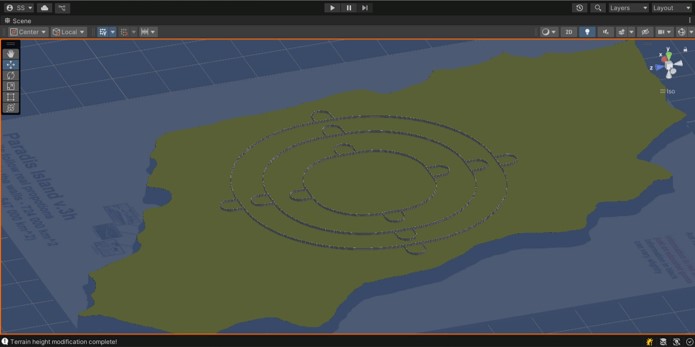
Fate of Eclipse is a 3D narrative game built in Unity that explores AI-assisted NPC interaction in an explorable environment. Instead of predefined dialogue options, a Gemini API dialogue pipeline combines in-game context, character-specific information, interaction events, and animation control.
This page covers the NPC and interaction systems I built for it, not the whole game. The design goal was to keep what a character says connected to what happens in the world.
Six system modules
Core loop
Explore → Discover a nearby target → Interact (talk or pick up) → Supply the system with identity, world, and time context → Receive a response and any configured animation → Keep exploring.
Intended audience
Players interested in narrative exploration, interactive characters, and AI-assisted gameplay.
My Role & Responsibilities
Role: Gameplay Systems Programmer · Interaction Architecture · Dialogue Integration
The project had six team members, and most of the core implementation was done by two of us. My collaborator Rushikesh led storyline, narrative, and the 3D character pipeline. I led the gameplay programming and the architecture connecting the systems.
My primary responsibilities
-
Interaction architecture:
Proximity-based target detection that picks the
nearest valid target, with
IInteractableandIPickablecontracts and in-range and out-of-range handling, coordinated byPlayerInteractionHandler. - Dialogue and AI integration: The path from player input to NPC dialogue sessions, with the Gemini API isolated behind a dedicated handler, NPC data assets for character-specific instructions, and environment and time context added to the conversation.
- Dynamic NPC behaviour: The event pathway from NPC interaction handlers to an animation database and character-specific animation controllers.
-
World awareness and navigation:
Connecting dialogue to known locations, the game's
TimeManager, and Unity'sNavMeshAgent. - Inventory: ScriptableObject item definitions, inventory ownership, selection, held-item lifecycle, and event-driven updates for add, remove, throw, and hold.
- Integration: Event-driven communication across all of the above, and connecting Rushikesh's narrative and character assets to the gameplay systems.
Development Process
Architecture overview
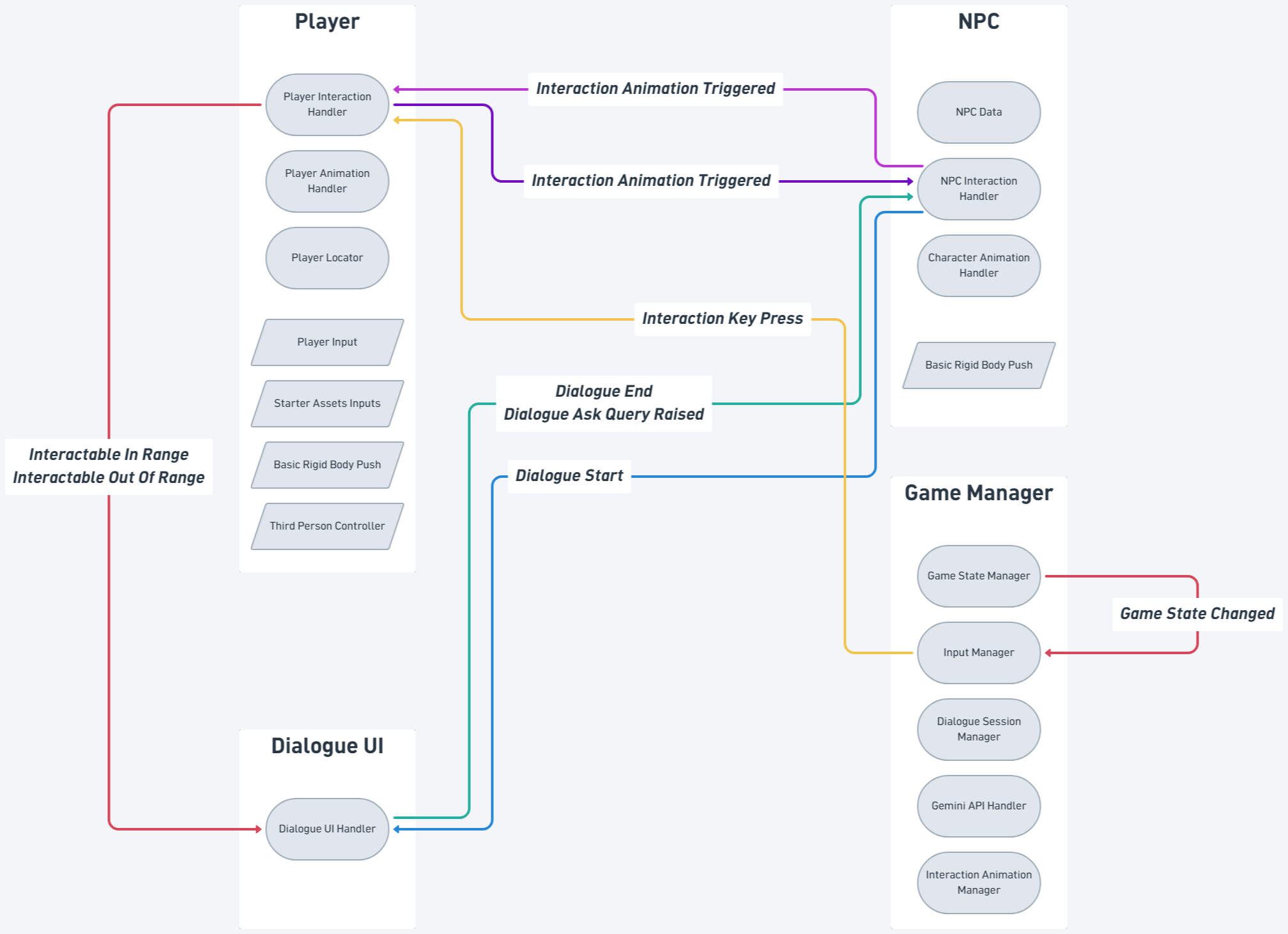
I treated the NPC system as cooperating parts, not one NPC controller doing dialogue, input, navigation, animation, and inventory. Three approaches work together:
This is why the dialogue system never has to manage
the player's inventory or every character's
Animator. A GameStateManager also
raises a game-state-changed event that the
InputManager listens to, so dialogue and
inventory screens can take priority over normal
gameplay input.
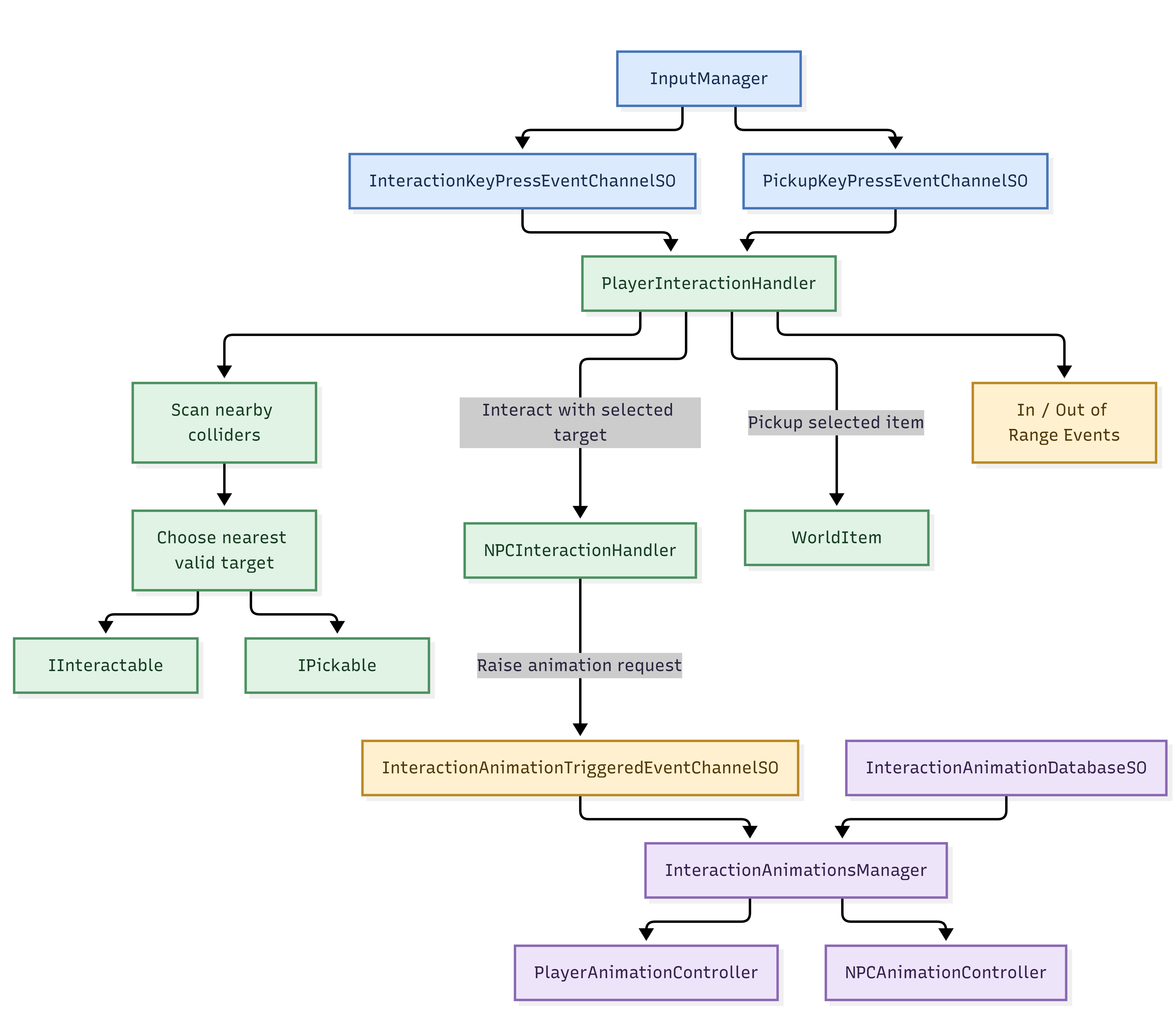
Interaction detection
The first problem was a single, consistent way for
the player to find and use things in the world.
InputManager publishes interaction and
pickup key presses through separate event channels.
PlayerInteractionHandler scans nearby
colliders, picks the nearest valid target, and routes
the request.
Two contracts split the paths:
IInteractable for things that respond
to an interaction, such as NPCs, and
IPickable for items that can be
collected. Talking to an NPC and picking up an item
both start with a key press, but they are different
actions.
Design decision: keep detection, input events, and object-specific behaviour apart, so a new interactable can be added without touching the player interaction controller.
AI dialogue as a managed session
I treated a conversation as a session the game manages, not a string returned by an API. That gives the system somewhere to keep history, handle queries, and attach game context.
-
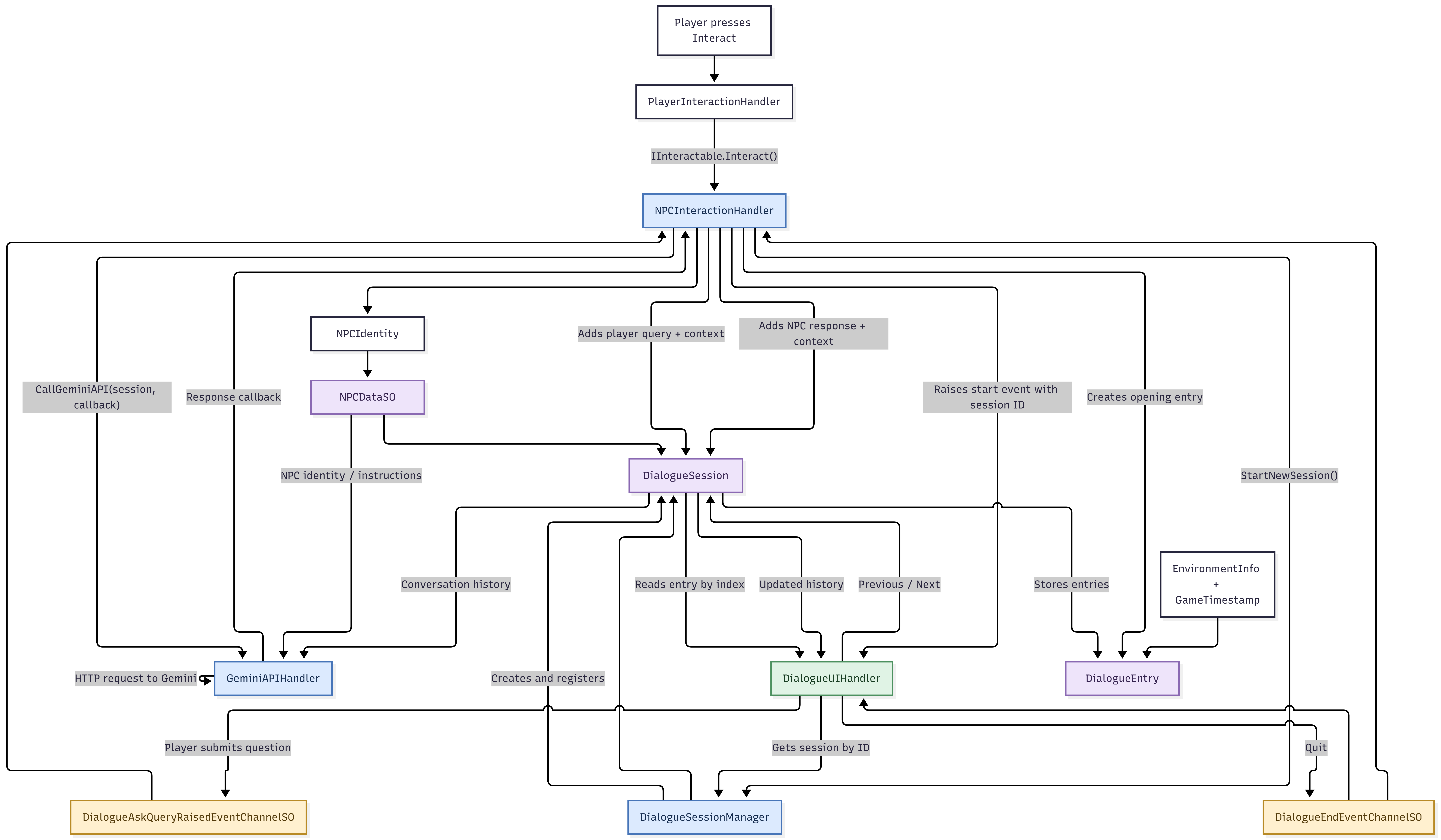
Start: Interacting with an NPC calls
NPCInteractionHandler, which asksDialogueSessionManagerto start a session. The session is seeded with the NPC's identity and instructions from itsNPCDataSO. -
Open: An opening entry is created, a start event with the session ID is raised, and
DialogueUIHandlerfetches the session and displays it. -
Ask: The player submits a question through the dialogue UI, which raises
DialogueAskQueryRaisedEventChannelSO. The NPC handler adds the query to the session together with environment and timestamp context. -
Request: The handler calls
GeminiAPIHandlerwith the session and a callback. This is the only place that talks to the external service. -
Respond: The callback returns the response, which is stored as a new
DialogueEntry. The UI reads entries by index and supports Previous and Next. -
End: Quitting raises
DialogueEndEventChannelSOso dependent systems know the conversation is over.
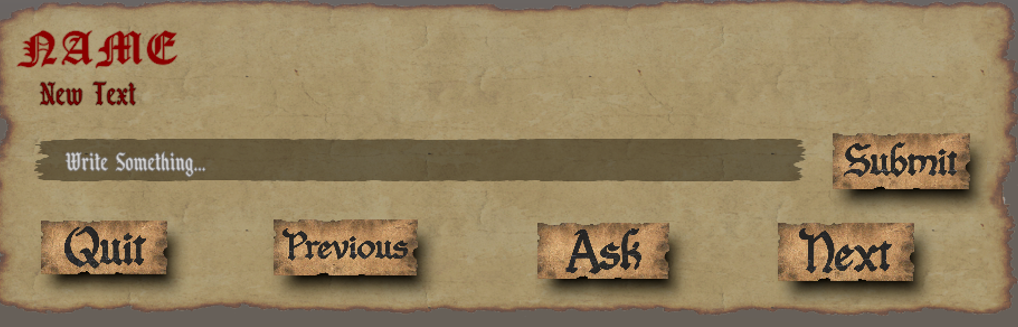
The player-facing side is a parchment-style dialogue panel: the NPC's name and current response, a text field for the player's question, and Submit, Quit, Previous, Ask, and Next buttons. Ask and Submit raise the query event, Previous and Next step through the session's stored entries, and Quit raises the end event. The same panel appears in the banner at the top of this page.
From dialogue to action
Without extra work, an NPC can say something while its body does nothing related. I wanted interactions to be able to trigger a physical response, so I separated requesting an animation from playing it.
-
Request: When an interaction should animate, the NPC handler raises
InteractionAnimationTriggeredEventChannelSO. -
Resolve:
InteractionAnimationsManagerreceives it and looks up the configuration inInteractionAnimationDatabaseSO. -
Play: The matching
PlayerAnimationControllerorNPCAnimationControllerruns the animation on that character.
Where an interaction is configured for it, such as a gesture or handshake, dialogue can request a matching action while the animation layer stays responsible for executing it. The system does not generate new animations from AI text: it connects AI dialogue to a set of configured animations through events. New animations can be added to the database without changing the dialogue code.
World awareness and navigation
A conversation system that knows nothing about the game world cannot answer questions about it, so the dialogue context includes two kinds of world information: where things are and when it is.
Location. NPCs work with known
landmarks on Paradise Island. These are fixed
destinations, so the NPC never walks to an
arbitrary position suggested by generated text.
Once a destination is chosen, Unity's
NavMeshAgent handles pathfinding and
movement, instead of custom pathfinding inside the
dialogue code.
Time. The NPC system polls the
game's TimeManager for the current
in-game time and weekday, and each dialogue entry
carries that timestamp. Time is available as
context to the dialogue. It does not mean NPCs
follow a full daily schedule.
Design decision: the AI side handles conversation, and deterministic systems handle movement and timekeeping.
Inventory and the world-item lifecycle
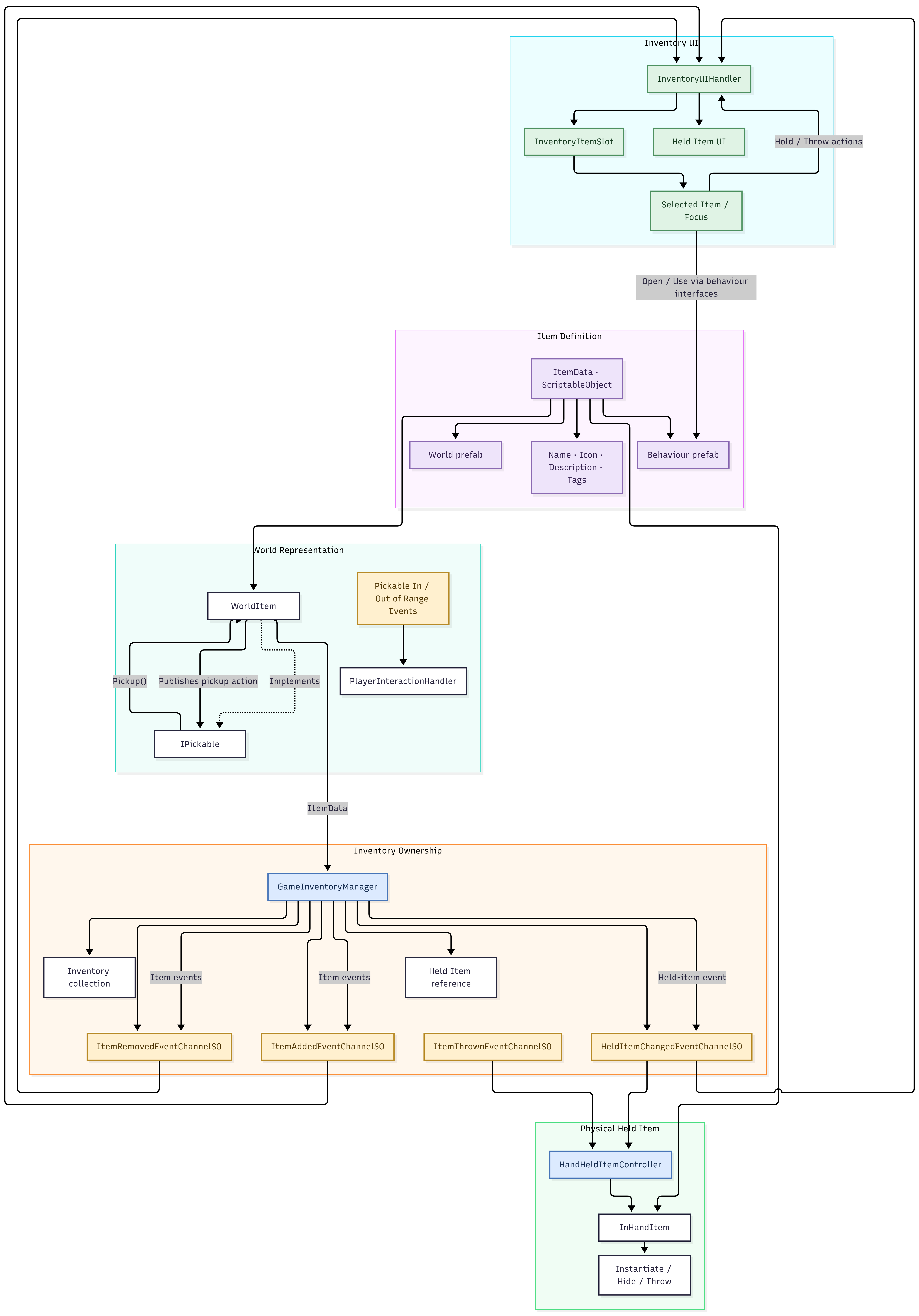
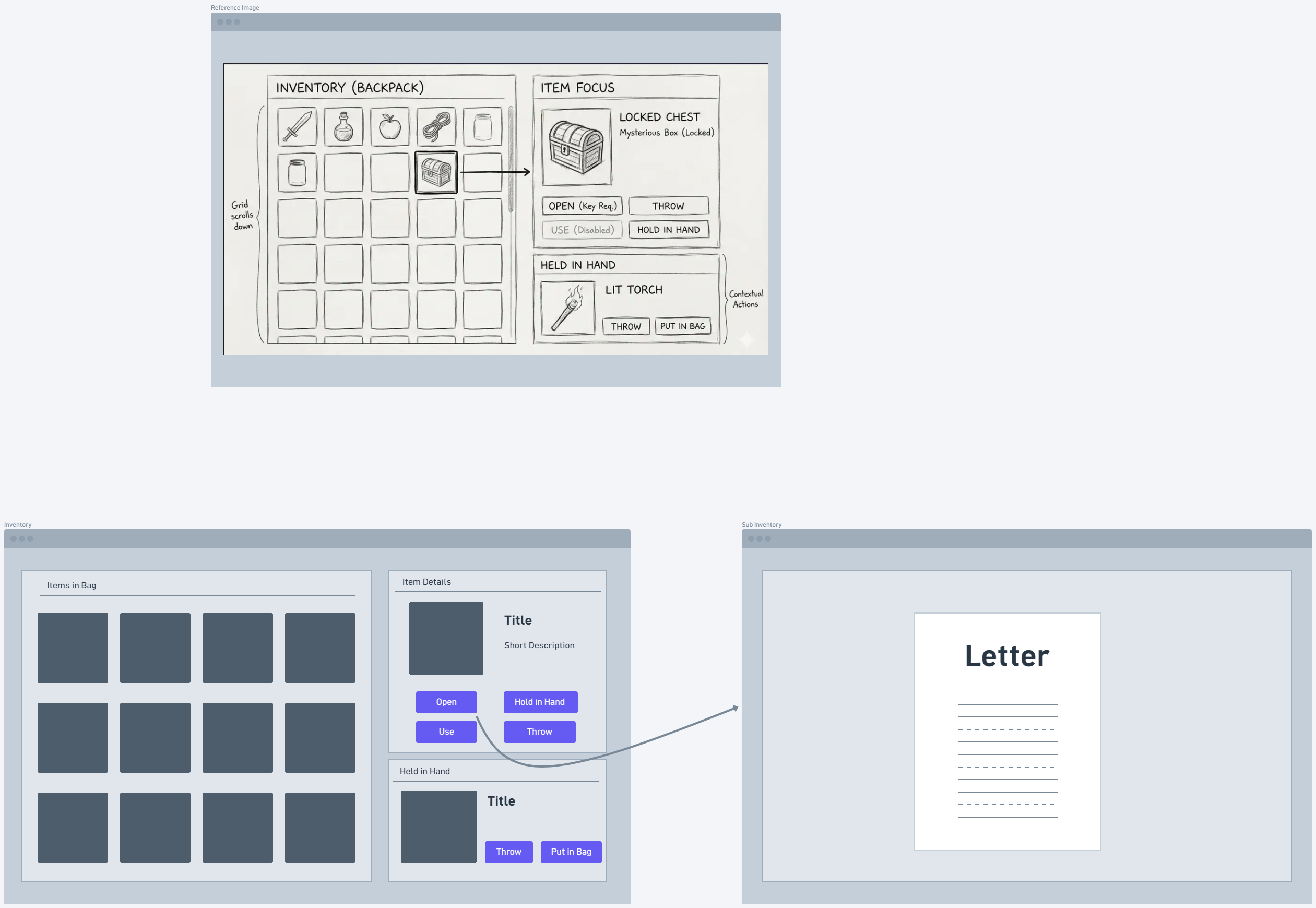
An item exists in three places at once: as a definition, as an object in the world or the player's hand, and as an entry in the inventory. I kept those as separate responsibilities:
IPickable and publishes the
pickup.
InHandItem.
The selected item exposes only the actions it supports: open, use, hold in hand, throw, or put back in the bag. Opening an item can lead to a sub inventory screen, such as a letter. The UI and held-item controller react to inventory events rather than controlling the manager directly.
Design decision: model inventory as an ownership and event system, not a grid of UI slots, so pickup, item actions, and held-item visuals stay in sync.
Problems solved
- Tight coupling: A direct reference approach would make the player controller find targets, trigger dialogue, drive animation, and edit inventory. Focused components, interfaces, and event channels spread those responsibilities out.
- AI response to physical action: A generated reply does not produce a coherent animation by itself. A separate animation request pathway lets dialogue ask for configured behaviour without owning the animation logic.
- Conversation context: Independent API calls give disconnected conversations. NPC data assets, sessions, and stored history give each request the context it needs.
- World-relevant answers: Known locations and the TimeManager feed the dialogue context, so NPCs can respond about where and when.
- Items in several places: Separate definitions, ownership, events, and held-item lifecycle keep the inventory, the world object, and the hand object consistent.
Character pipeline — team contribution
Rushikesh built the characters, and this part was not my work. He used character reference images as visual inspiration, generated a T-pose reference with Meta AI, turned it into a 3D model with Meshy AI, rigged it with AccuRIG, and imported it into Unity.
Those are third-party tools and not custom character-generation technology. My systems handle how the resulting characters interact, converse, and animate at runtime.
Results
The project combined several systems that are often built separately: AI dialogue, player interaction, animation coordination, world context, NavMesh navigation, and inventory. They share one architecture of focused components, reusable data assets, and event channels.
Functional outcomes
- The interaction layer finds targets and routes requests to NPCs or pickable items.
- The dialogue layer manages NPC identity, queries, conversation history, and session events, with the Gemini API behind a single handler.
- The animation layer resolves and runs configured interaction animations on the player and NPCs.
-
NPC dialogue has access to known locations
and in-game time and weekday, and NPCs can
navigate to landmarks with
NavMeshAgent. - The inventory layer tracks ownership and held items, and notifies dependent systems of changes.
Inside the development environment
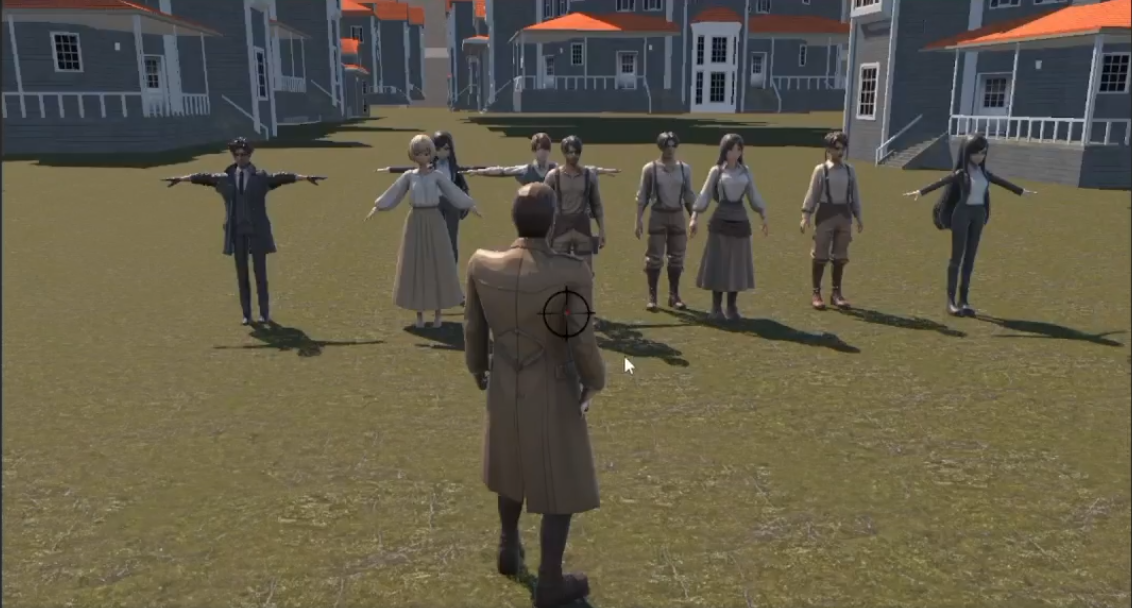
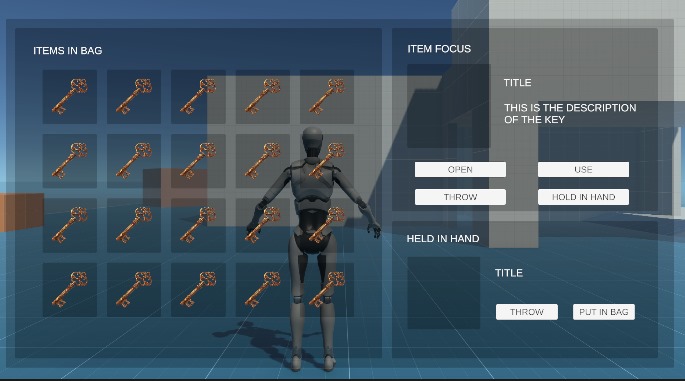
Most of the systems above were built and tested in a cluttered scene full of test NPCs, items, and placeholder objects, where interaction ranges, dialogue sessions, and inventory events could be checked quickly.
Development test environment — an early, cluttered scene used to iterate on the systems.
Retrospective
The main lesson was that dynamic NPC behaviour needs more than a generative AI API. It needs character identity, conversation state, world context, interaction pathways, and animation coordination around the API to connect a reply to the game itself.
Splitting responsibilities across components, data assets, interfaces, and event channels made the system easier to extend. It also made integration harder: when systems talk indirectly, event ownership, subscription lifecycles, and debugging matter much more.
With another cycle I would add repeatable integration tests for dialogue sessions, event subscriptions, interaction range changes, and item lifecycle transitions. I would also add a validation layer between AI responses and gameplay actions, so dialogue can never trigger unsupported or invalid behaviour.
The main takeaway: the goal was not to make NPCs speak with AI, but to build the architecture that lets dialogue, character behaviour, world context, and player interaction work as connected systems.