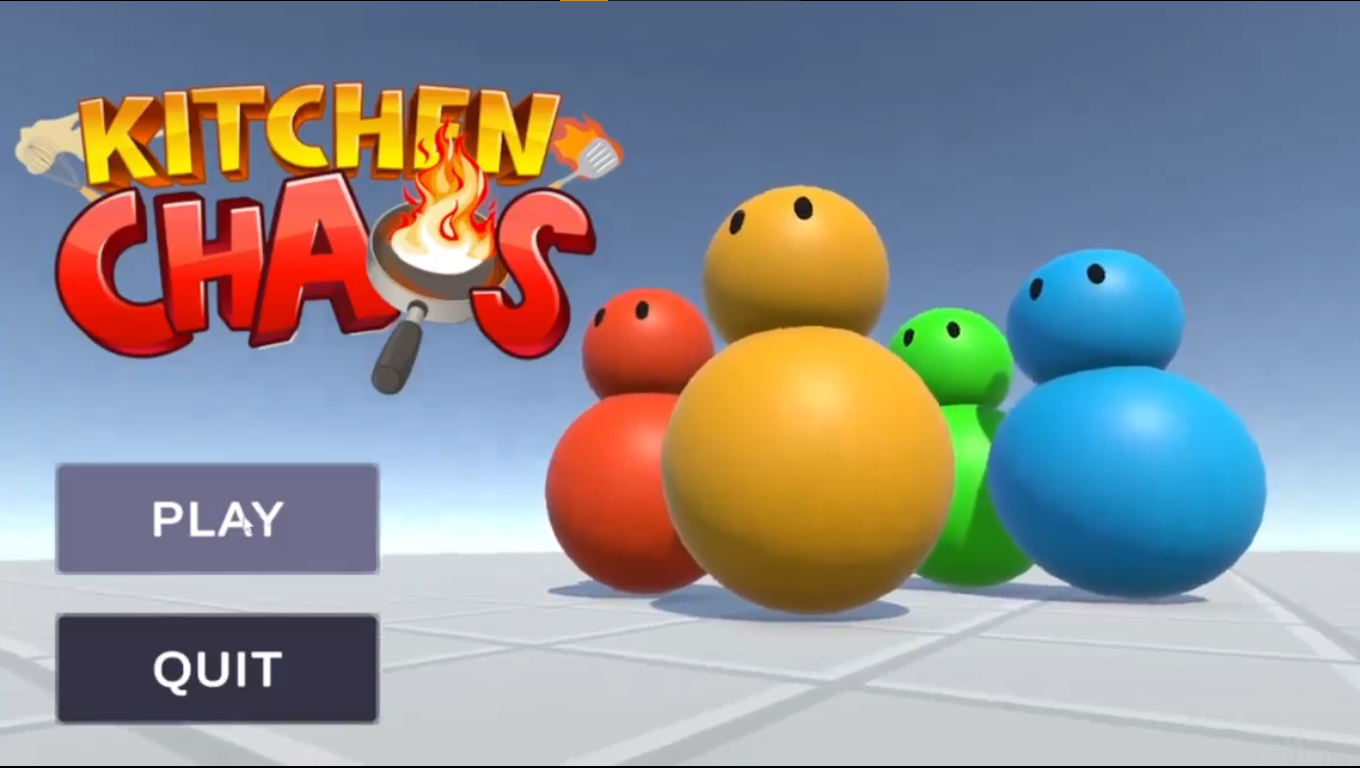
Kitchen Chaos
An Overcooked-style cooking game built entirely from scratch in Unity, following Code Monkey's architecture-focused course step by step to learn how a real, production-style codebase is put together.
Overall Unity scene & gameplay
The Spark
Kitchen Chaos is Code Monkey's (David Fedyk's) free, roughly 10 to 11 hour Unity course that walks through building an Overcooked-style cooking game from scratch. I wanted to go beyond small isolated tutorials and work through a full, production-style codebase end to end — so I built it myself, watching the course side by side and typing out every system rather than copying finished scripts.
The goal wasn't to design something original. It was to deliberately learn the patterns real Unity projects lean on: events, interfaces, ScriptableObjects, state machines, and the newer Input System — by actually implementing them, not just reading about them.
Project Brief
Kitchen Chaos is an Overcooked-style cooking game, playable solo or in co-op. The player grabs raw ingredients, prepares them across a set of interactive kitchen counters, plates the finished dish, and delivers it to match an active customer order before time runs out.
The kitchen counters
The core loop
Grab a raw ingredient → Prepare it at the right counters (cut, cook, or both) → Plate it, stacking ingredients as needed → Deliver the plate to match an active order → Earn points before the order expires.
Intended audience
Players who enjoy fast, slightly chaotic co-op cooking games in the Overcooked mould, solo or with a second player.
Platform
PC, built in Unity (2022.2+), played with keyboard and the new Input System.
My Role & Responsibilities
Role: Solo Developer · Following Code Monkey's Kitchen Chaos Course
I built Kitchen Chaos entirely on my own, writing every script and wiring every system myself while following the course step by step. Rather than treating it as a copy-paste tutorial, I used it as a guided deep-dive into Unity architecture — pausing to understand why each pattern was used before implementing it in my own project.
- Core gameplay systems: Implemented player movement, counter interactions, and pickup/drop-off logic across all seven kitchen counters.
-
Architecture & design patterns:
Applied the Observer pattern with C# events,
singleton-based managers, and the
IHasKitchenObjectinterface shared across kitchen objects and pickup/drop-off logic. - Data-driven design: Used ScriptableObjects to define ingredient types, cutting recipes, and stove cooking recipes.
- State machines: Built the stove counter's state machine, driving idle, cooking, warning, and burned states.
- Input handling: Replaced the legacy input manager with Unity's new, event-driven Input System, including key rebinding.
- UI & feedback: Implemented world-space progress bars, dynamic plate icons, and the delivery manager's order-matching logic.
- Polish: Character animation, Shader Graph counter shaders, post-processing (bloom), Cinemachine camera framing, audio, and the full menu flow — main menu, pause, options, and game-over.
Development Process
Architecture first: decoupling with events and interfaces
Before writing gameplay, the course establishes how systems talk to each other without directly depending on one another. Player input, counter selection changes, and recipe completions are all broadcast as C# events using the Observer pattern, so a system can react to something happening without needing a hard reference to whatever caused it.
Global access — the Game Manager, the Player
instance — is handled through the
Singleton pattern, and every object
that can hold a kitchen item implements the same
IHasKitchenObject interface, so pickup
and drop-off logic works identically whether the
object is a counter, a plate, or the player.
Data-driven recipes with ScriptableObjects
Ingredient types, cutting recipes, and stove cooking recipes aren't hardcoded in script — they're defined as ScriptableObjects. A cutting recipe just maps an input ingredient to a result after enough cuts; a cooking recipe maps a raw item to a cooked one, and a cooked one to a burned one, on a timer. New ingredients or recipes can be added as data, without touching the systems that process them.
Seven counters, one shared set of rules
Each counter type builds on the same
IHasKitchenObject foundation, but adds
its own behaviour on top. The
cutting counter tracks cut progress
and shows it on a world-space canvas bar. The
stove counter runs its own
four-state machine — idle, cooking, warning, and
burned — driven entirely by timers, so a raw item
left too long reliably turns into a burned one
instead of relying on scattered conditionals. The
plates counter lets multiple
prepared ingredients stack onto a single plate, with
a dynamic UI icon list that updates as items are
added. The delivery counter checks
a finished plate's contents against the active
customer orders through a delivery manager
algorithm, and awards points when it matches.
Input, camera, and feel
Movement and interaction run through Unity's new Input System instead of the legacy input manager, giving clean, event-driven input handling and key rebinding out of the box. The character controller handles smooth movement and capsule collision detection, wired into an Animator for movement and interaction animations. Cinemachine frames the kitchen, and custom Shader Graph shaders style the counters, finished off with bloom post-processing.
Audio and the complete menu flow
Background music and sound effects run throughout play, and the game wraps the kitchen loop in a full menu flow: a main menu, a pause window, an options menu with audio volume control, and a complete start-to-game-over state loop — the same shell a shipped version of the game would need.
Results
Kitchen Chaos was completed end to end: every kitchen counter, the full event-driven architecture, a data-driven recipe system, the stove's state machine, the new Input System, and the complete menu flow from main menu to game over.
Functional outcomes
- Seven fully interactive kitchen counters working together inside one playable cooking loop.
- An event-driven architecture decoupling player input, counter logic, and UI through the Observer pattern and shared interfaces.
- A data-driven recipe system built on ScriptableObjects for ingredients, cutting, and cooking.
- A four-state stove machine — idle, cooking, warning, burned — driven by timers.
- A complete menu flow: main menu, pause, options, and game-over.
This was a personal learning project, built end to end by following Code Monkey's course rather than an original design or a published release — so there are no download numbers or rankings to report here. The build itself, and the LinkedIn post documenting it, are the evidence.
Retrospective
Working through Kitchen Chaos end to end taught me
more about production-style Unity architecture than
any number of small, isolated tutorials had. Seeing
a C# event system, a singleton manager, an interface
like IHasKitchenObject, and a
ScriptableObject-driven recipe system all work
together inside one real codebase made those
patterns click in a way reading about them never
did.
The stove counter's state machine was a particularly good lesson: four clear states, driven by timers, turned behaviour that could easily have become tangled conditionals into something completely predictable.
If I extended this project further, I'd move past the course content and add my own original recipes, counters, or a scoring twist — now that I understand the architecture well enough to build on top of it, not just inside it.
The main takeaway: following a well-structured course end to end, writing every line myself instead of copy-pasting, is one of the fastest ways to internalize patterns that are hard to pick up from small, disconnected examples.