Type to Survive
A Stranger Things-inspired typing runner where every keystroke decides how far Max runs before the two-minute timer ends.
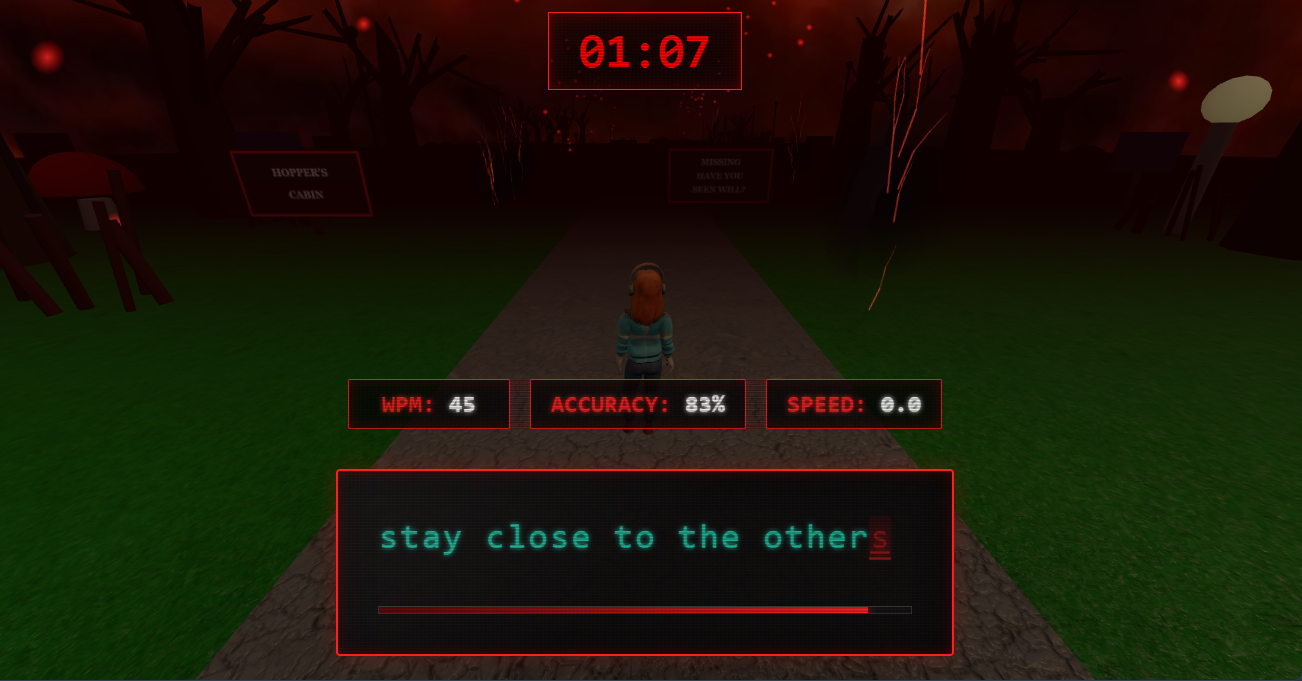
A full run — typing speed and accuracy drive Max's pace.
The Spark
Our college Tech Fest needed a game that people could understand in seconds but would still reward skill and competition. We took Max Mayfield's running sequence in Stranger Things, and the energy of "Running Up That Hill", as the setting.
Instead of showing typing speed as a static WPM score, we made it the core mechanic: type quickly and accurately to run farther before the two minutes end.
Project Brief
Type to Survive is a Three.js-powered 3D browser game that combines typing practice with an endless runner. It was built for our college Tech Fest while I was volunteering with Google Developer Groups on Campus (GDGC), and runs directly in the browser so students could play and compete without installing anything.
The central design decision was to make typing performance control the game itself. The game does not just measure words per minute: it turns typing speed and accuracy into character movement, so every input affects the outcome.
Game systems
The core loop
Start running with an initial boost → Type to accelerate → Keep accuracy high → Build momentum → The two minutes end → Get ranked by distance on the leaderboard.
Intended audience
Students at the Tech Fest: quick onboarding, short sessions, and repeat attempts, with no long tutorial needed at a busy event.
Platform
Web browser, rendered with Three.js. One run lasts two minutes, and the primary metric is distance covered.
My Role & Responsibilities
Role: Gameplay Systems · Technical Implementation · UI
Tejas and I built the game as a team of two. I worked on how typing performance becomes movement and how the 3D environment stays continuous during a run.
- Typing-to-movement mechanics: Built the relationship between typing performance and the character's running speed.
- Speed normalization: Tuned the speed calculation using WPM, accuracy, and extra parameters so movement stays in a playable range.
- Acceleration and momentum: Added an initial speed boost and tuned acceleration so speed rises quickly with better typing but falls more slowly.
- Accuracy-based balancing: Worked accuracy into the movement logic so holding down a single key does not pay off.
- Endless environment: Built the continuous running path with separate road and grass materials.
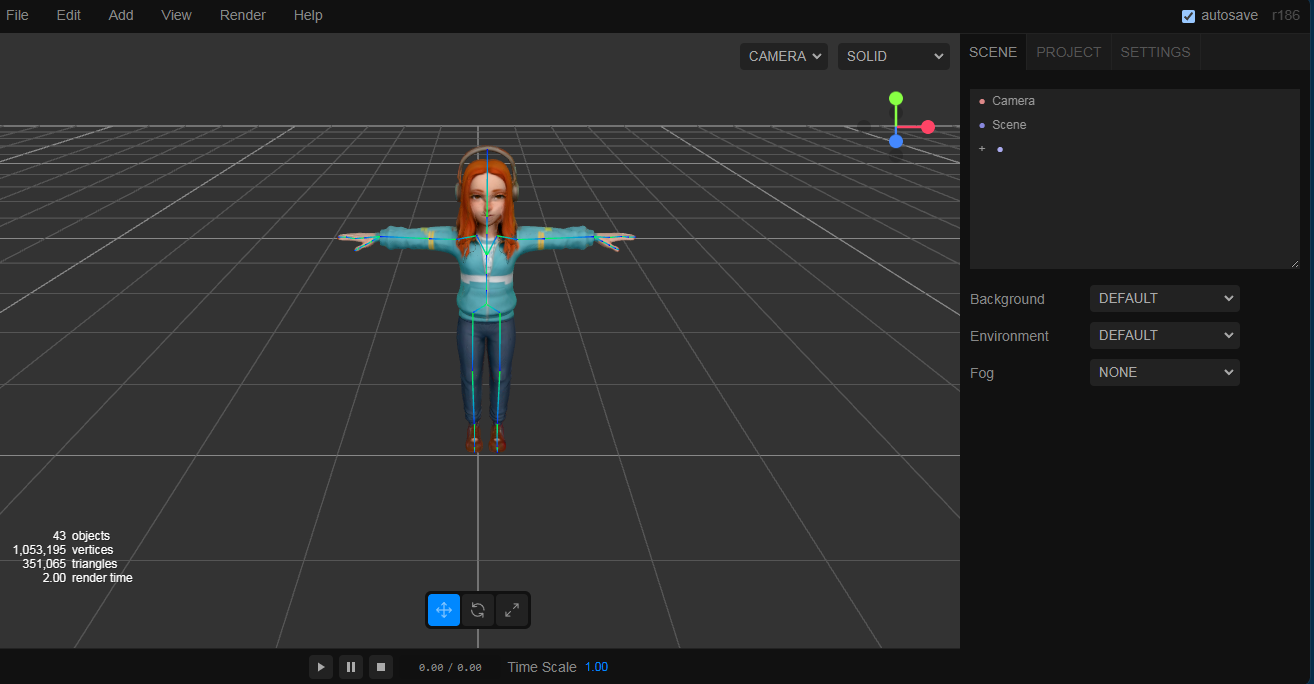
- Environment assets: Created the billboards, trees, and other scene elements directly in Three.js.
- Object pooling: Reused and repositioned environment objects as the player progresses, instead of constantly creating and destroying them.
- Typing UI: Implemented the terminal-inspired, glass-like interface.
- Gameplay integration: Connected the run to the two-minute challenge and its distance-based results.
Development Process
Turning typing into movement
The main challenge was turning a human typing metric into movement that feels responsive without becoming unstable. A direct one-to-one mapping from WPM to speed would be too crude: a fast typist would shoot ahead, while a slower one might never build enough momentum to make progress.
The game instead uses a tuned formulation that combines WPM, accuracy, and additional parameters into a normalized target speed. An initial speed boost gets Max moving immediately, so the opening seconds feel active instead of starting from zero.
-
Input: Keystrokes are captured from the typing interface.
-
Performance: WPM and accuracy are derived from that input.
-
Normalization: Those measures, plus tuning parameters, produce a speed target inside a controlled range.
-
Movement: Acceleration moves Max's actual speed toward that target.
Acceleration and deceleration are deliberately asymmetric. Speed rises quickly when typing improves and falls more gradually, so movement reads as momentum instead of twitching with every change in typing speed.
Accuracy is the second dimension. If speed depended only on keyboard activity, a player could hold a key and run. Including accuracy makes fast, correct typing worth more than indiscriminate input.
An endless world from reusable objects
The route is a straight path with no fixed endpoint, so the environment had to keep up the feeling that Max is always running through something. Distinct road and grass materials mark out the route, and trees, billboards, and other scene objects add variation and set the mood.
I created those elements directly in the Three.js scene instead of relying on externally modelled environment assets. That kept the look of the world under my control inside the game code.
Spawning new trees and billboards as Max advances would mean constantly creating and destroying objects. The environment uses object pooling instead: when an element leaves the relevant part of the scene, it is repositioned further along the path and reused. A small set of objects cycles through the world, so the scene stays manageable during an endless run, which matters in a browser where resource churn can hurt responsiveness.
A terminal-style typing interface
The interface uses a blocky, glass-like terminal look inspired by CTR-style UI. It gives the main interaction an identity that a standard typing test lacks, and fits the darker mood of the game.
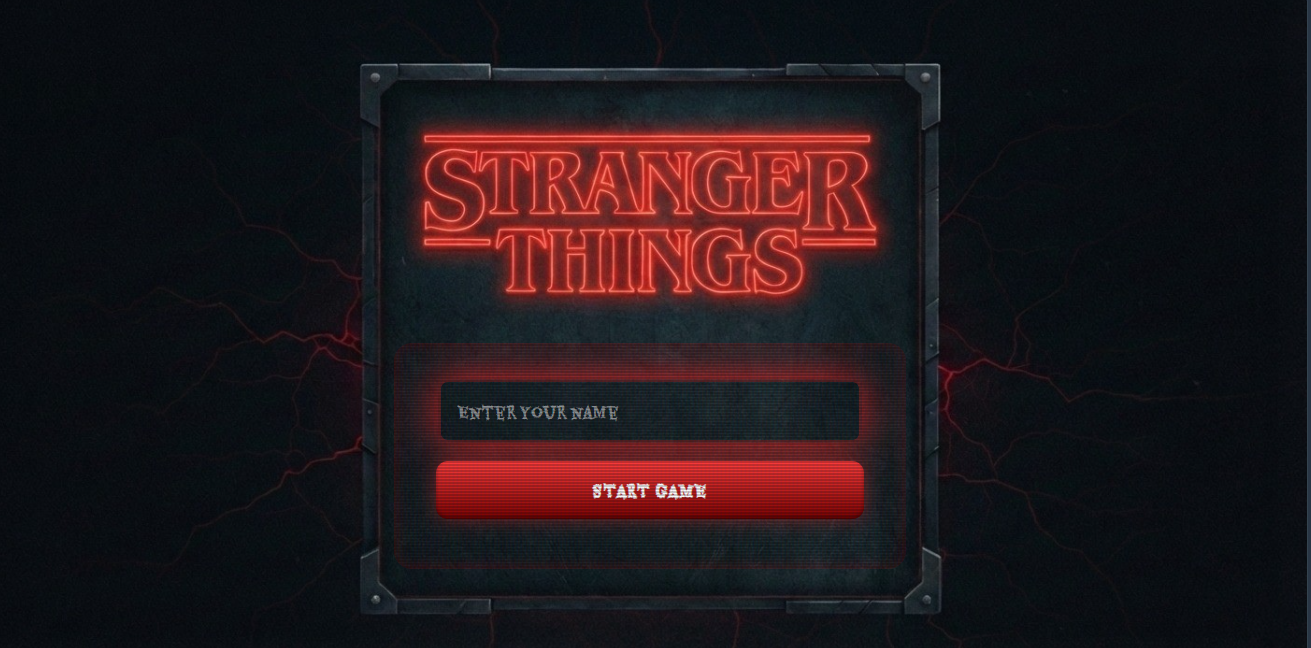
The screen has to put typing first while the player stays aware of the run, so I kept the styling restrained: stylized, but immediate to read. Before a run, the start screen shows the Stranger Things title and a field for the player's name.
Scoring that makes runs comparable
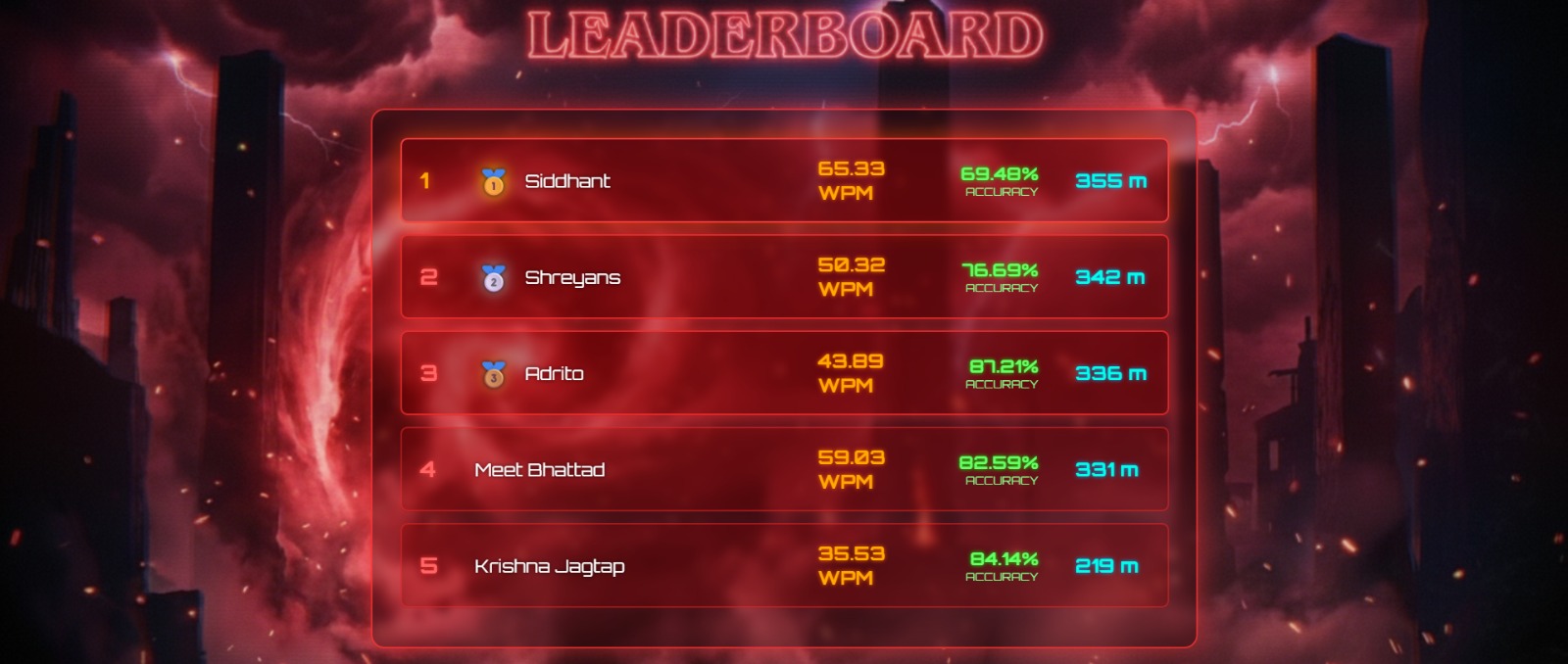
Every run lasts exactly two minutes, so the game ranks players on how far Max travels in that time, instead of ending a run at a particular location. Distance is the primary metric, and WPM and accuracy explain how each player got there.
This ties the movement system to the competition. A player needs speed and enough accuracy to keep that speed effective for the whole run. The leaderboard gives participants a shared result to compare and a reason to try again.
Results
Type to Survive was presented at our college Tech Fest through the GDGC community, and students played it during the event. That put the game in front of real participants instead of leaving it as a development experiment.
Functional outcomes
- A playable two-minute browser game in 3D, with typing controlling the character's speed.
- Speed tuned with WPM, accuracy, an initial boost, and asymmetric acceleration.
- An endless environment built from pooled Three.js objects.
- Distance-based ranking with WPM and accuracy shown on the results leaderboard.
I do not have verified participant counts or balance data from the event, so the results above describe what was built and played, not measured outcomes.
Retrospective
Connecting an input to a game mechanic is the easy part. The hard part is making the relationship consistent, responsive, and fair. Mapping typing speed straight to movement would have been quick, but balancing speed, accuracy, acceleration, and momentum meant thinking about how players would actually use the system.
The endless environment taught me the value of resource management in browser 3D. Reusing scene objects through pooling gave much more control than creating new elements as the player advanced.
If I revisited it, I would instrument the gameplay from the start, logging session duration, typing performance, distance, and player behaviour. That data would show whether the movement formula produces the intended challenge, where players struggle, and whether anyone is exploiting it.
The main takeaway: a good mechanic comes from the tuning, constraints, and technical decisions that make the idea work in practice, as much as from the idea.